Ask
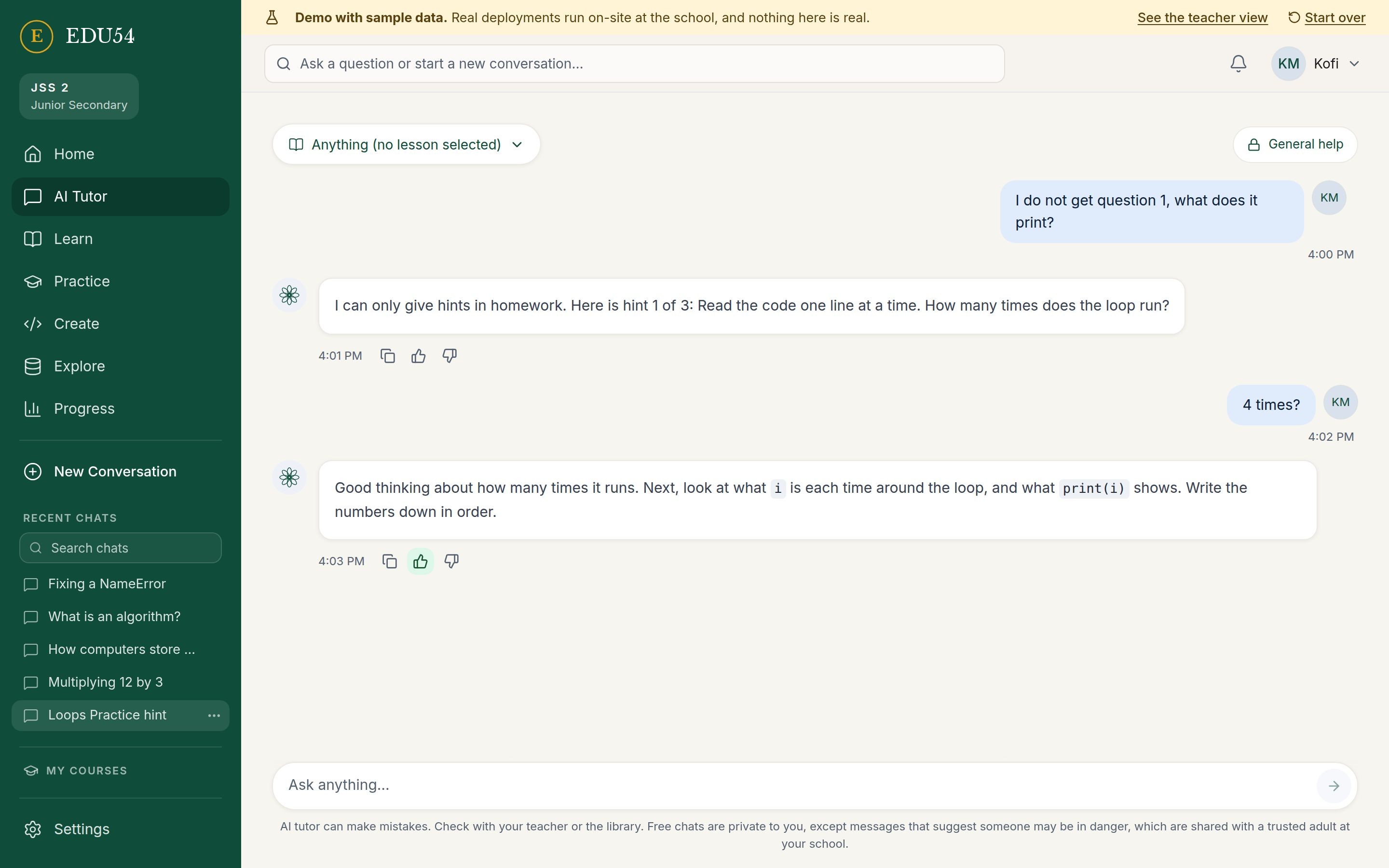
A tutor that gives help grounded in the student's lessons, and hints (not answers) in homework.
We bring the computer. You bring a router and a power outlet.
EDU54 puts a full AI tutor, coding lab and learning library inside your school, with no monthly subscription. Students sign in from the devices they already have and keep learning, even with the internet unplugged.
Hints, not answers. Homework rules enforced on the boxWorks offline. Learning continues unplugged
The demos use made-up students and sample data. Also in both: Discovery Lab, a science lab to explore on your own.
54 countriesOne continent, one box per school
Most AI learning tools assume fast internet, a card on file and data that leaves the school. For many schools and campuses, none of that holds.
Many schools have unreliable or expensive internet. A cloud tutor stops the moment the connection does.
A subscription for every student adds up fast, and the price changes when the provider decides.
Student conversations sit on someone else's servers, under someone else's rules.
When a provider changes its terms, the school has no say in what its students see.
Bring the intelligence to the classroom instead of sending the classroom to the cloud.
Students open a browser and sign in. Everything runs on one box at the school. Five actions cover the whole experience.
A tutor that gives help grounded in the student's lessons, and hints (not answers) in homework.
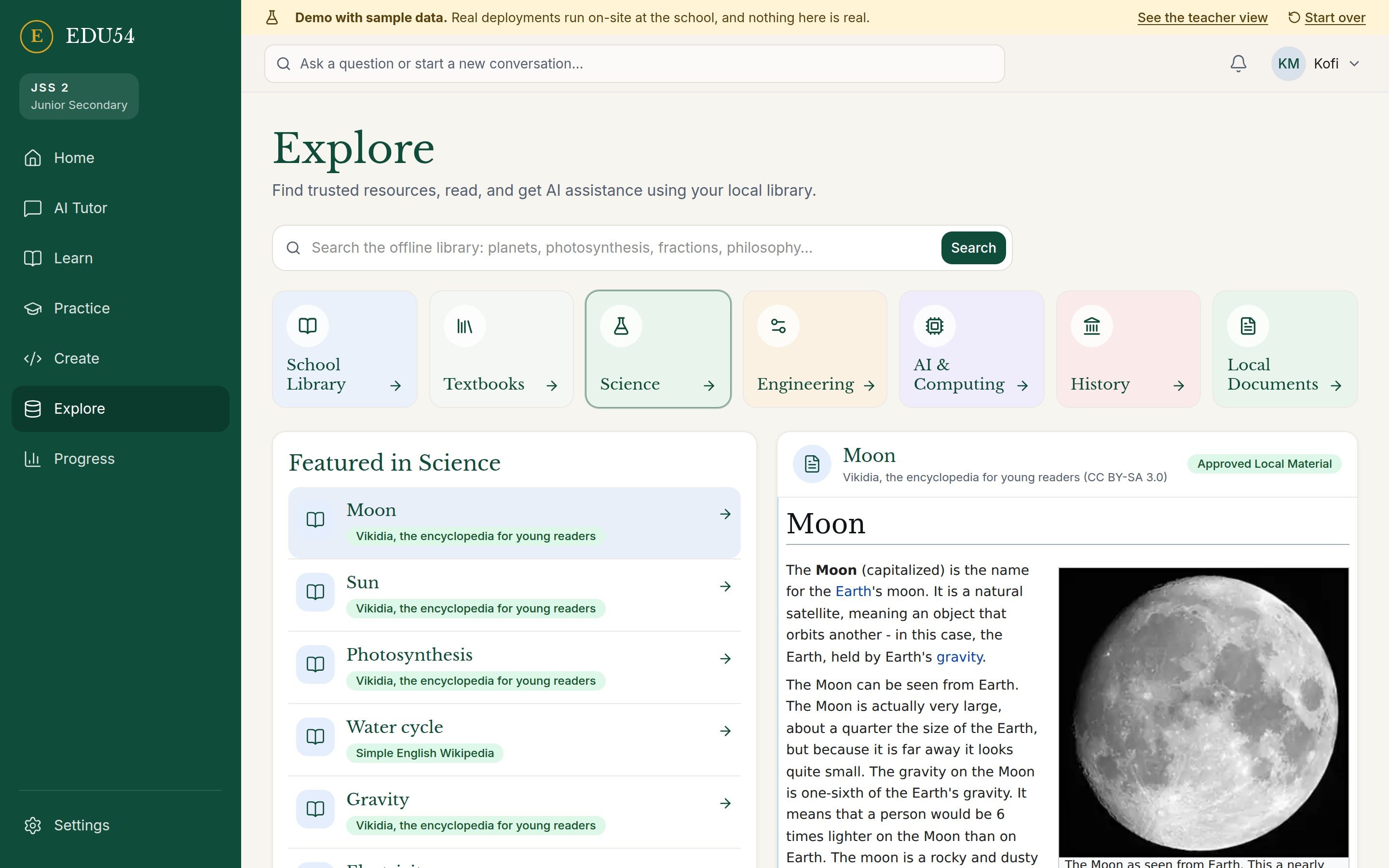
Courses, lessons, assignments, and practice with weak topics, questions and flashcards.
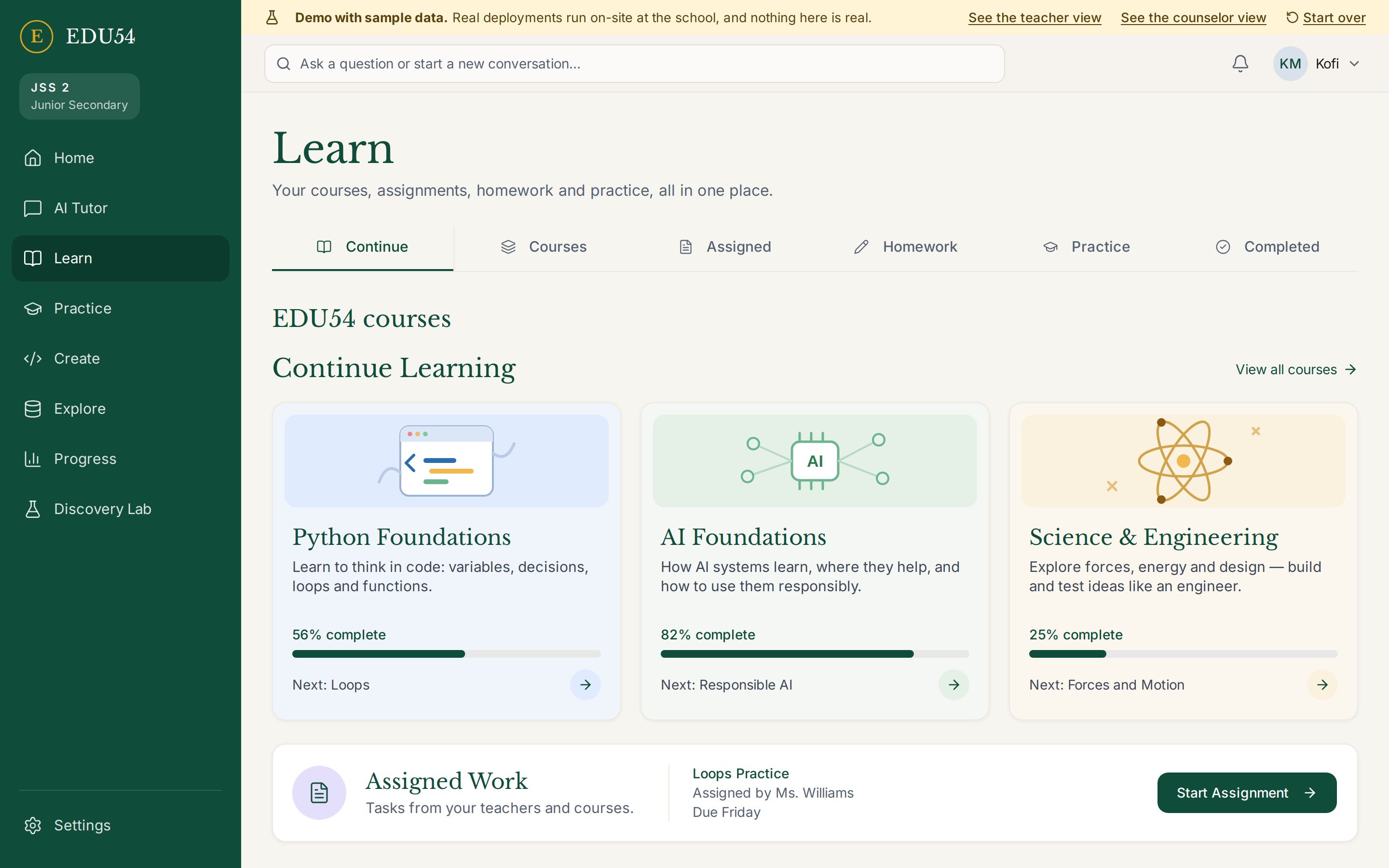
Write and run Python in the browser, with an AI helper that explains errors and gives hints.
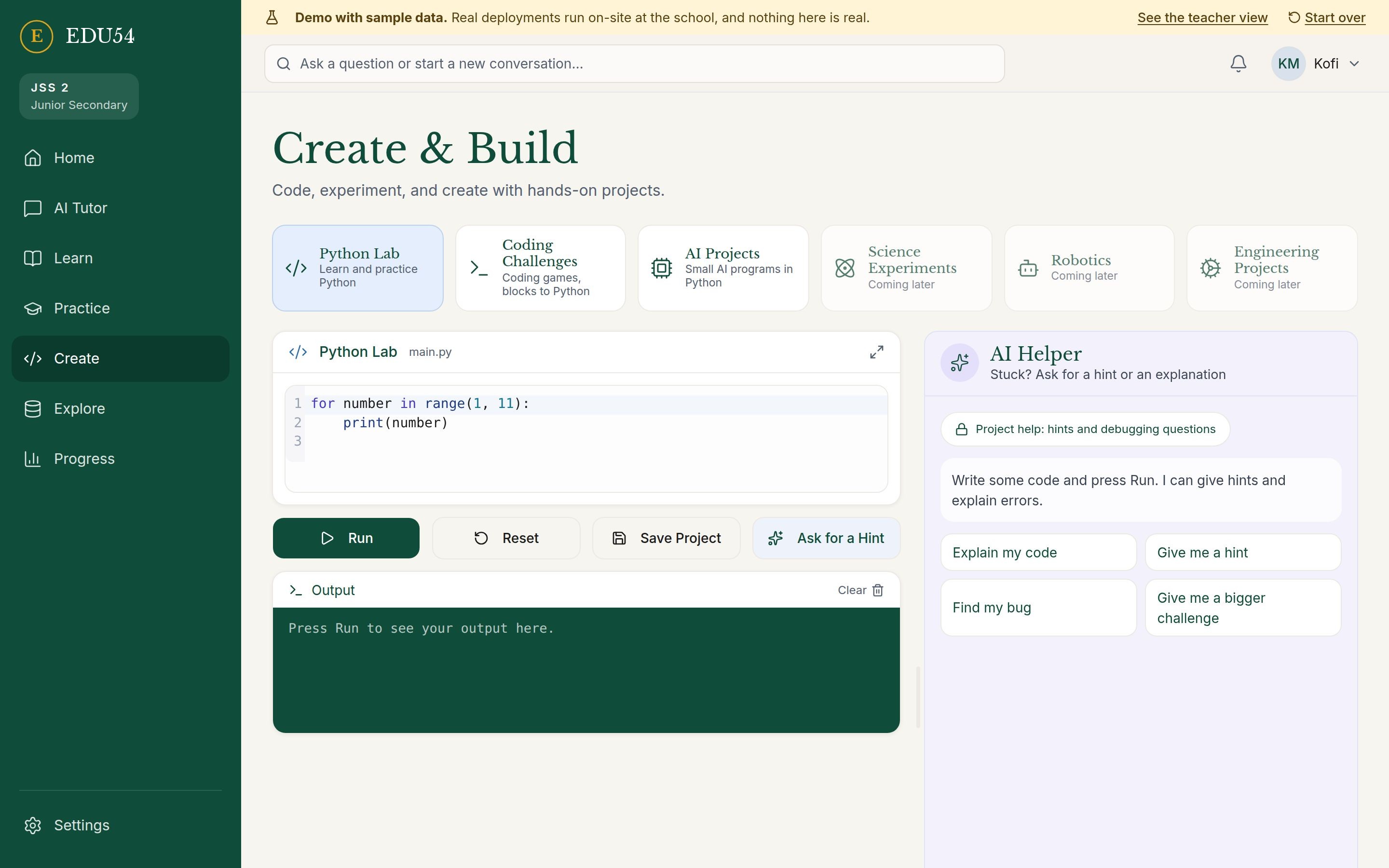
Search an offline library and open textbooks. It works with the internet unplugged.
XP, levels, badges, streaks and projects: growth and accomplishment, not public ranking.
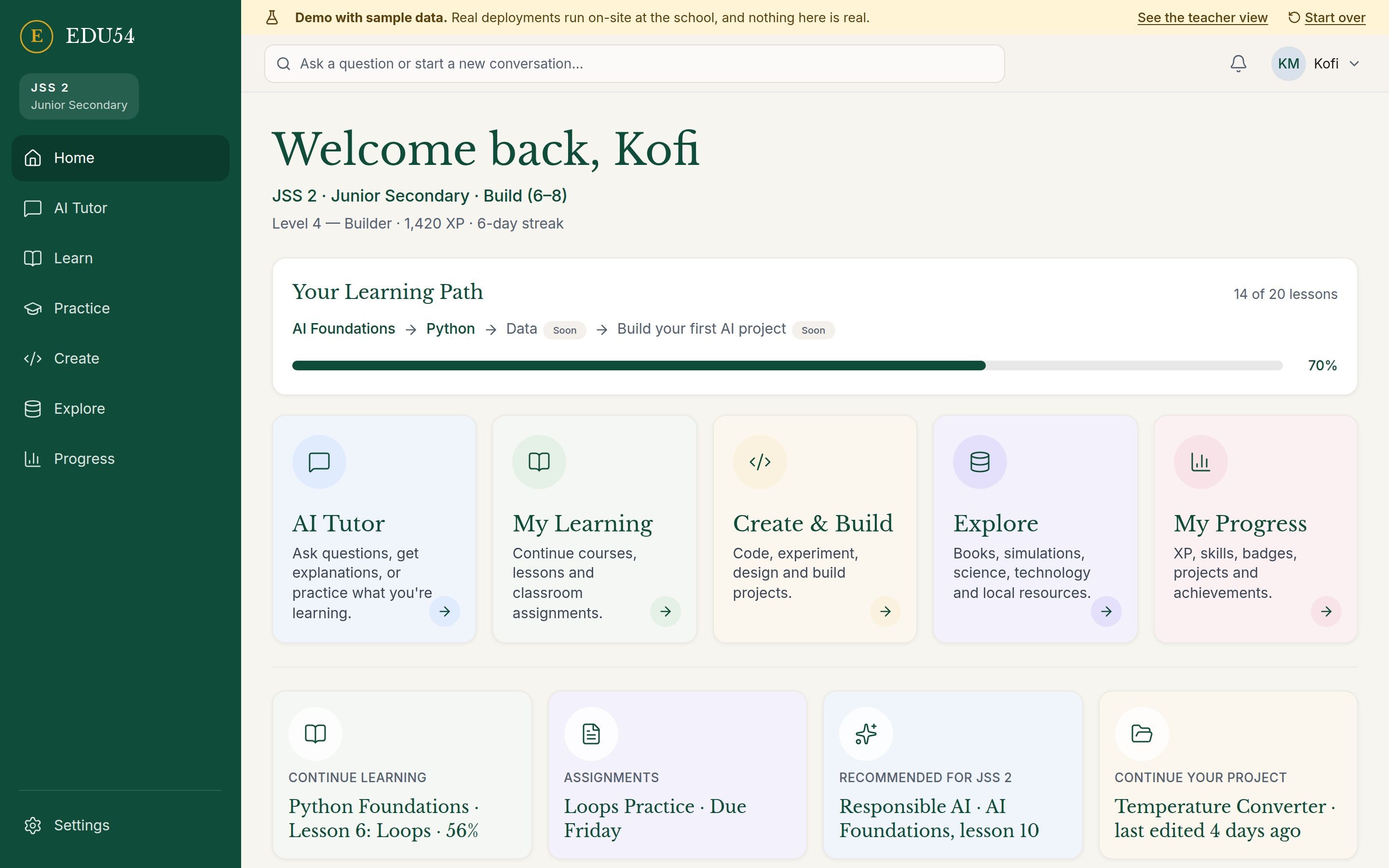
No mock-ups. These are screenshots of the demo you can open right now. All names, chats and numbers are sample data.
AI Tutor: hints in homework, cited from the lesson, with code to try in Build.
Each box runs one edition, set up for the institution that orders it: its name, its classes and its people.
From Kindergarten to SSS 3. One app with four learner experiences, chosen by the class level, never by the student.
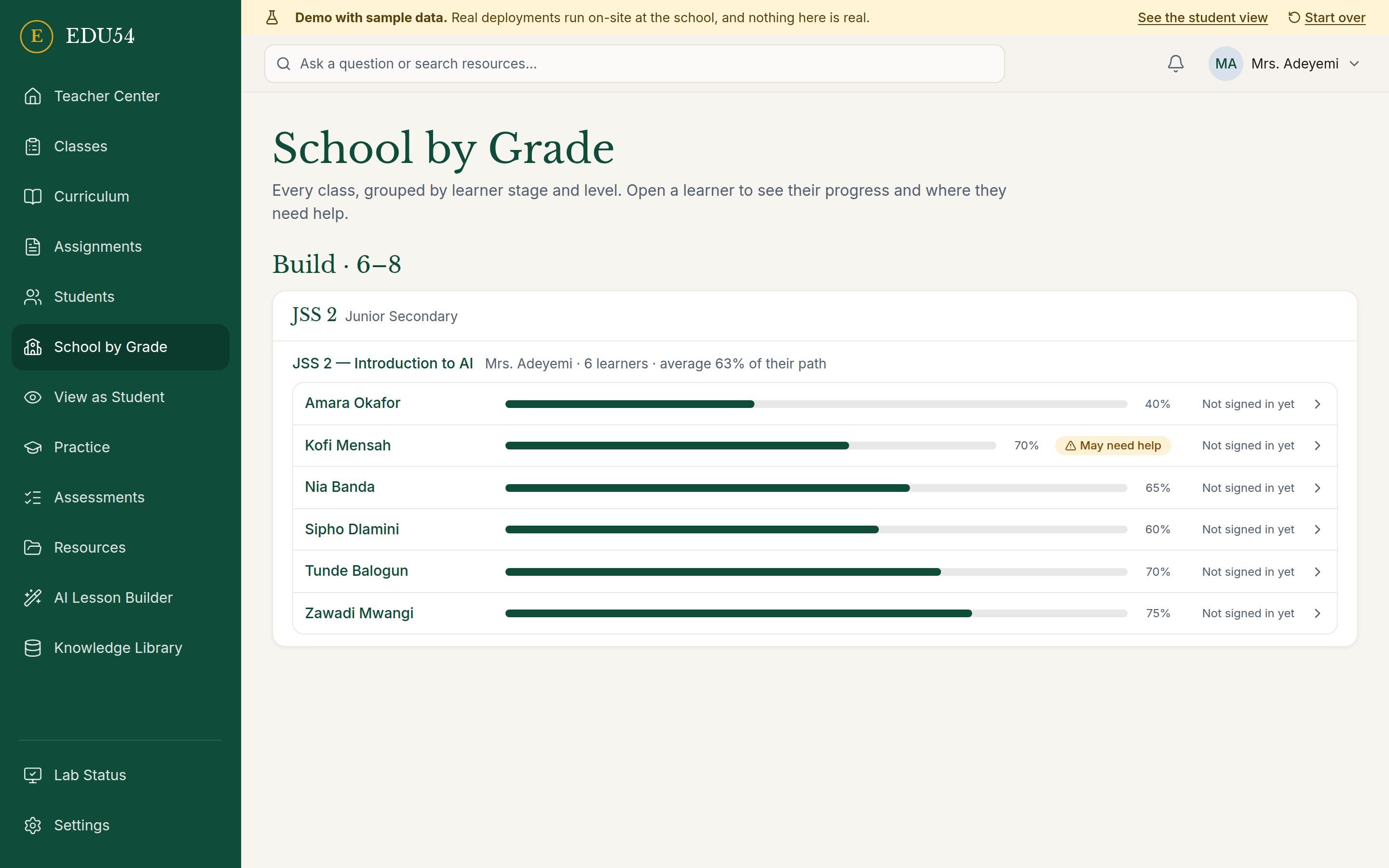
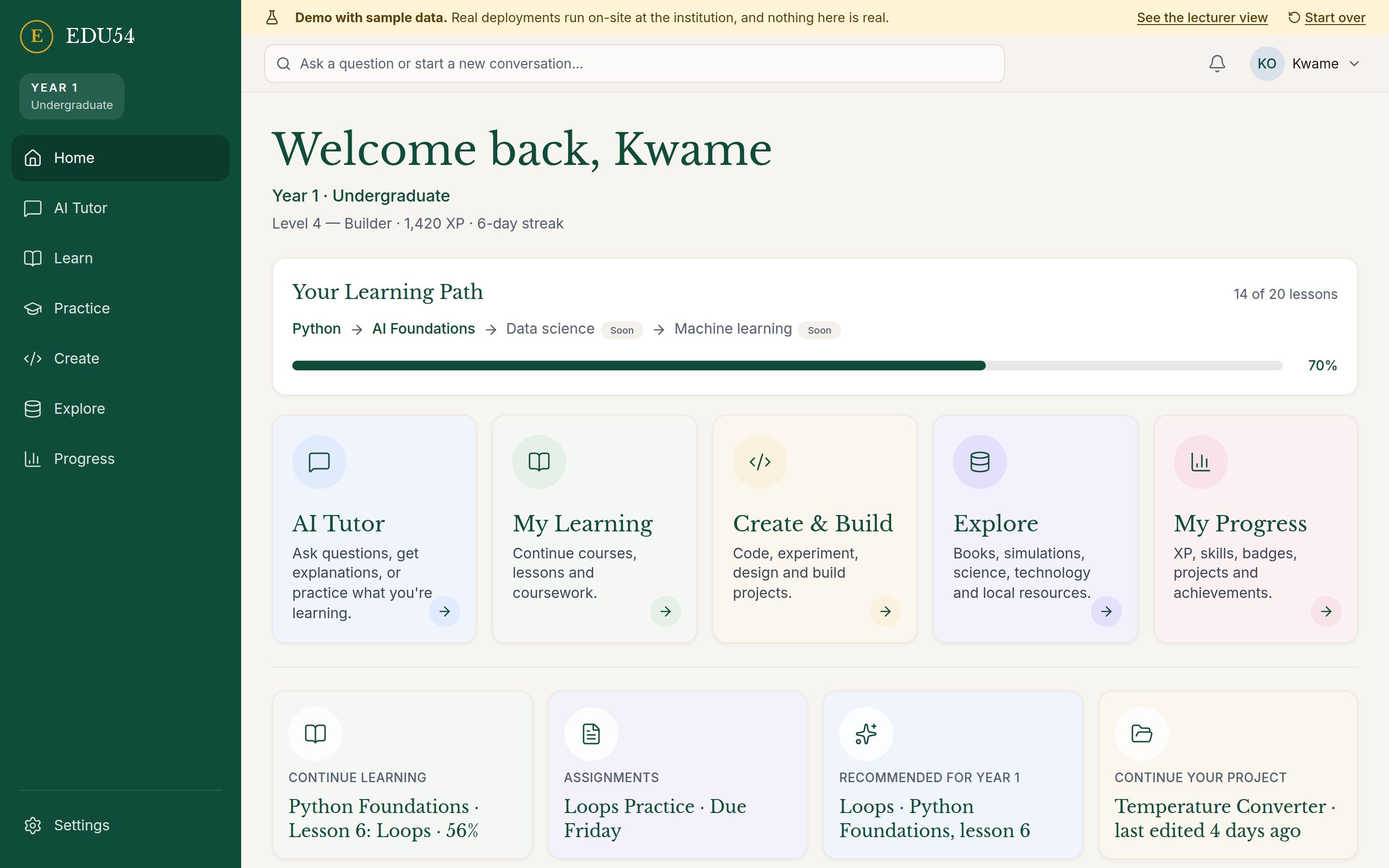
A campus-owned AI lab for Year 1 to Postgraduate, with a Lecturer Center for courses, coursework and marking.
A science lab to explore on your own: no class, no teacher and no grades. Change the numbers, press Play, and see what happens. Students sign in with their K-12 or University account.
14 experiments ready today, from moon phases to sorting algorithms; 23 more planned.
Open Discovery LabBuilt for children, with the school in charge. Student conversations stay at the school. They are not sent to us.
The same safety pipeline and tutor limits run in both editions.
Not just requested in a prompt. In homework the tutor gives hints. In assessments it stays out.
Before and after the tutor answers.
Messages that suggest a student may be in danger, or may hurt someone else, reach the school's designated safety contacts, never us.
Chats linked to an assignment are visible to the class teacher. Students can flag a tutor answer that seems wrong.
The safety rules are still being reviewed. Before any classroom pilot they are reviewed by counselors and safeguarding specialists.
The tutor sits inside a learning loop. Numbers are computed by code, not guessed by the model.
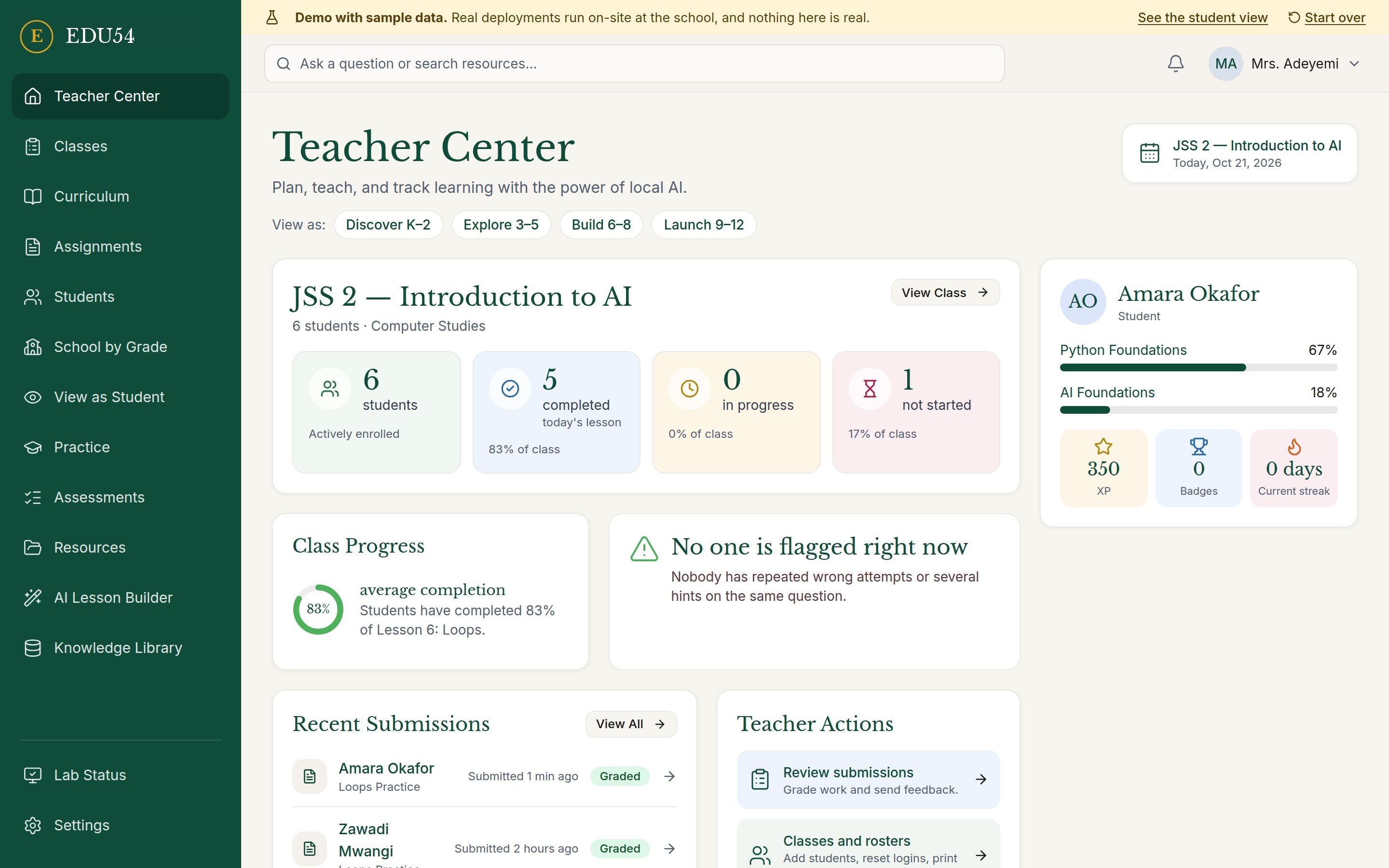
Add students one by one or from a spreadsheet, print login cards, set how much help the tutor may give on each assignment, grade work with a score and comment, and see which students may need help.
EDU54 brings AI tutoring, learning resources, coding tools, and classroom management into one integrated system. Designed for schools and campuses, it works locally without an internet connection or recurring software subscription.
Help grounded in the lesson, hints in homework, silence in assessments.
Courses, practice, an offline library and open textbooks.
Python, block coding and science tools that run in the browser.
Classes, assignments, grading and the students who need help.
What heads, owners and bursars ask before they buy.
Each box is quoted per order, based on the edition and the size of your school or campus. You pay for the box and its setup. There is no monthly subscription and no per-student fee.
One box serves a whole class at the same time through their browsers. Boxes come in different sizes for a classroom, a whole school or a campus. We will publish exact capacity figures once they are measured on the final hardware.
The box needs power like any computer. Saved work and lesson progress are stored on the box itself, so they are still there when power returns. We recommend a small backup power supply (UPS) to ride through short outages.
Yes. The tutor, lessons and library all run on the box at the school, so core learning continues with the internet unplugged.
Classes use your levels (Primary 1 to SSS 3 by default, or Year 1 to Postgraduate). The built-in courses cover AI, Python and science and engineering. Teachers add their own lessons and materials so the box follows what the class is actually taught. The built-in courses are not yet mapped to a national curriculum.
Yes. Teachers upload PDFs, pictures, text files and EPUB books for their students, and can draft lessons with the AI lesson builder, edit them and publish them to their class.
No. In homework the tutor gives hints, not answers, and in assessments it stays out. These limits are enforced by the software on the box, not only requested in a prompt.
Not by default. The box serves your school's own network, which keeps conversations on campus. Students use it on site, from the devices they already have.
English today. Every screen is built to be translated, and French and Portuguese are planned next.
The box keeps working offline for as long as you need. New software and content are installed by us; an automatic update process is on our roadmap.
Your school's data can be backed up and exported from the admin area. Repair and support terms are agreed with each order.
Yes. Teachers see class progress, assignments and students who may need help. Staff can look across the school by level, class and student, and admins manage people, classes and settings.
Student data stays on your school's box and is not sent to us. Everyone signs in with their own account, and each role sees only what it needs. Safety alerts go only to your designated safety contacts, and admin actions are recorded in an audit log.
Yes. Open the K-12 or University demo on this page right now: no sign-up, made-up students and sample data.
One box at the school. Many devices. No cloud in the loop. See it working with sample data.